URLs & REST

Driven professional with expertise in problem-solving, relationship building, and event organization, complemented by a strong presence in blogging and public speaking. Currently studying Frontend Development Career Path from Scrimba and working as Program Manager at MongoDB. I am actively looking to switch to a more technical profile and build web solutions. I bring great leadership, program management and customer engineering background, that proves my strong interpersonal, team building and resourceful skills
HTTP Requests
Hypertext Transfer Protocol - A protocol determining how Hypertext (text) should be transferred over the internet.
Components of a Request
Path (URL)
address where the desired resource "lives"
BaseURL vs Endpoint: BaseURL stays the same, and Endpoint specifies exactly which resource we want to get from the API.
Method
- GET, POST, PUT, DELETE, PATCH, OPTIONS, etc
Body (optional) : The data we want to send back to the server
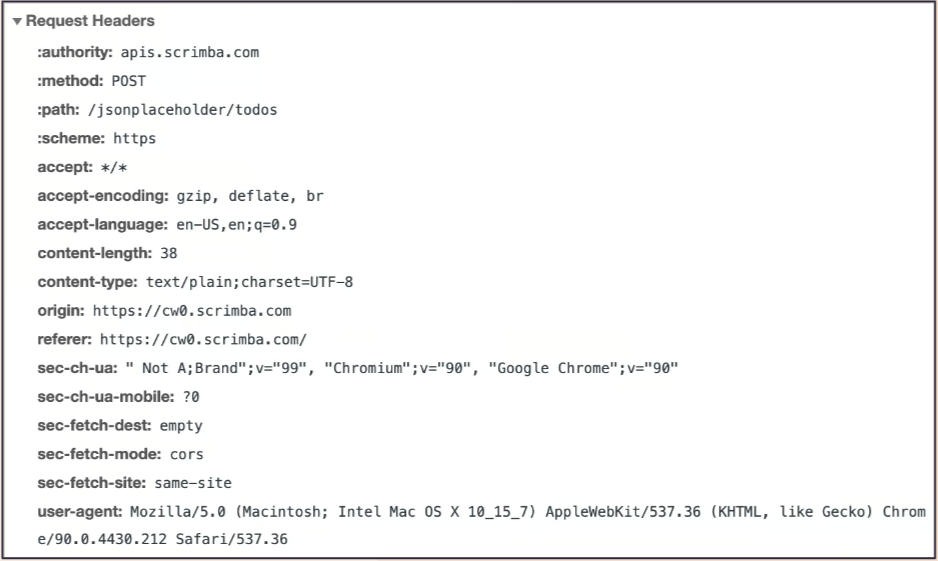
Headers (meta-data about the request: authentication token, browser, OS etc)
Request Methods
GET - Getting data
POST - Adding new data
- Like blog post or facebook post
PUT - Updating existing data
DELETE - Removing data
Sending a request explicitly specifying the GET method. By default, fetch sends GET
fetch("https://apis.scrimba.com/jsonplaceholder/todos", {method: "GET"})
.then(response => response.json())
.then(data => console.log(data))
Request Body
The data we want to send to the server
Only makes sense with POST and PUT requests
Needs to be turned into JSON first
fetch("https://apis.scrimba.com/jsonplaceholder/todos", {
    method: "POST",
    body: JSON.stringify({
        title: "Buy Milk",
        completed: false
    })
})
Headers
Extra/meta-information about the outgoing request
Auth, body, info, client info, etc
fetch("https://apis.scrimba.com/jsonplaceholder/todos", {
    method: "POST",
    headers: {
        "Content-Type": "application/json"
    },
    body: JSON.stringify({
        title: "Buy Milk",
        completed: false
    })

})
    .then(res => res.json())
    .then(data => console.log(data))
When headers are added, it returns the correct data. More on-request options on Mozilla Docs
Example from codepen creating a blog space using scrimba APIs - https://codepen.io/hennasingh04/pen/PoVGQYg
REST
Representational State Transfer is a design pattern to provide a standard way for clients and servers to communicate
Principles of REST
Client & Server Separation
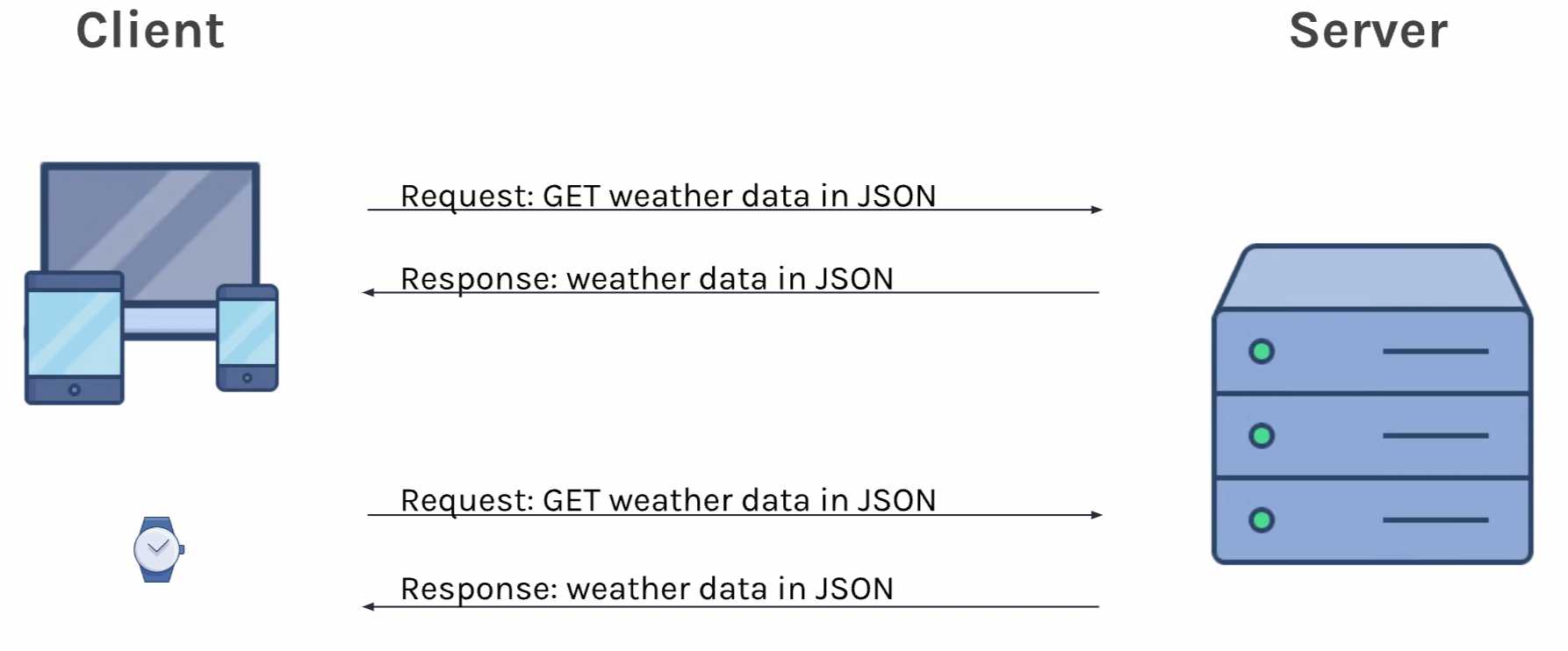
Statelessness (server does not maintain any memory of the request)
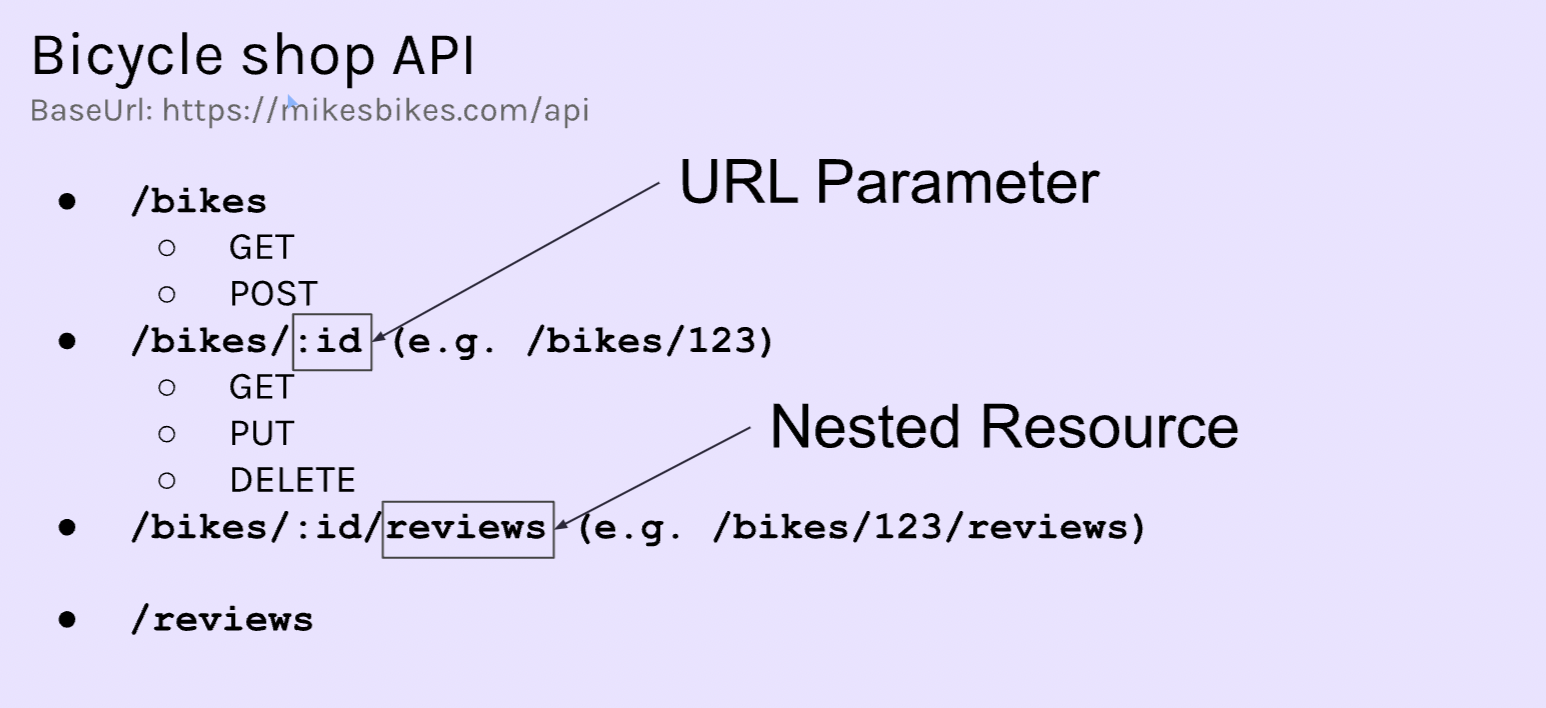
Accessing "Resources" (using URL endpoints)
URL parameter: Variable inside the URL that acts as a placeholder for the real value (replacing ID of the resource)
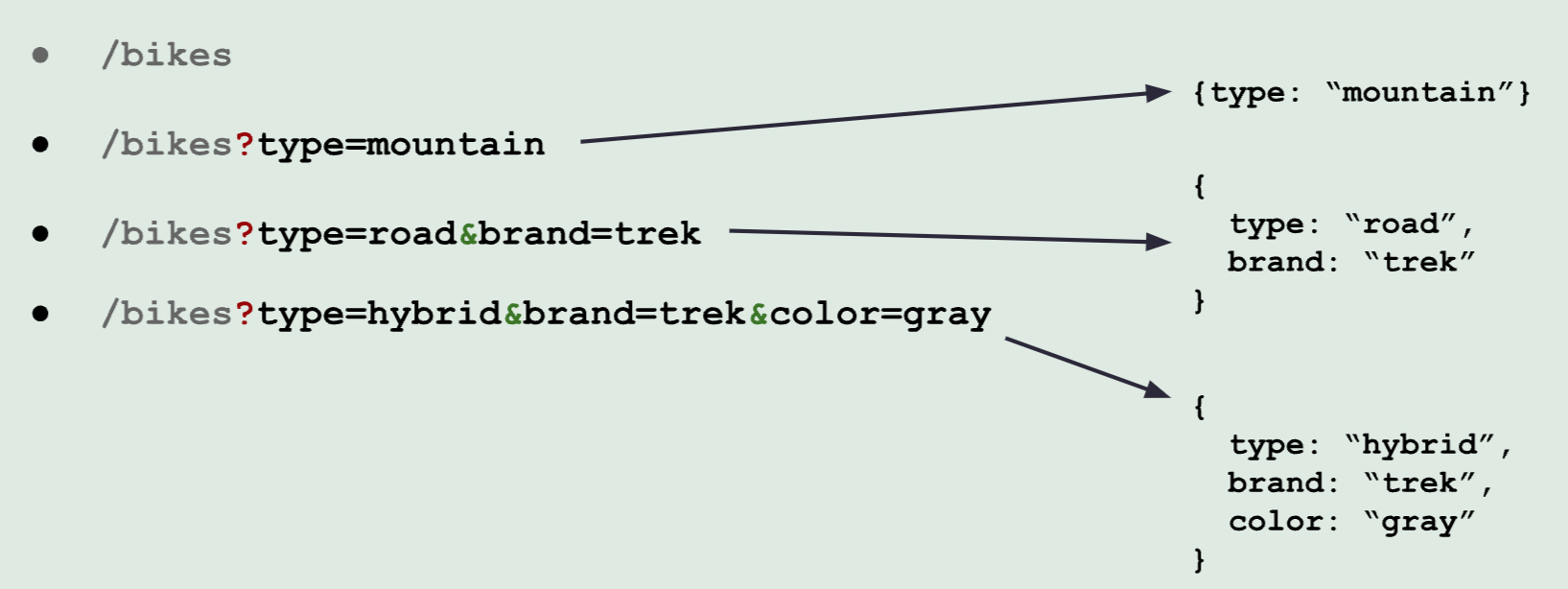
Query Strings
A way to filter the results we get back.
/bikes?type=mountain // ? is the start of query string of url
/bikes?type=road&brand=trek //multiple properties can be attached with &
Fetching Weather for my city =)
fetch("https://apis.scrimba.com/openweathermap/data/2.5/weather?lat=53.35&lon=-6.26")
.then(res => res.json())
.then(data => console.log(data))
//or query string can be /weather?q=dublin/ireland
Codepen example using placeholder API to send request and display response
https://codepen.io/hennasingh04/pen/PoVGQYg
For further reading