Basic CSS Properties

Driven professional with expertise in problem-solving, relationship building, and event organization, complemented by a strong presence in blogging and public speaking. Currently studying Frontend Development Career Path from Scrimba and working as Program Manager at MongoDB. I am actively looking to switch to a more technical profile and build web solutions. I bring great leadership, program management and customer engineering background, that proves my strong interpersonal, team building and resourceful skills
Linking CSS to HTML
<link href ="fileName.css" rel="stylesheet />
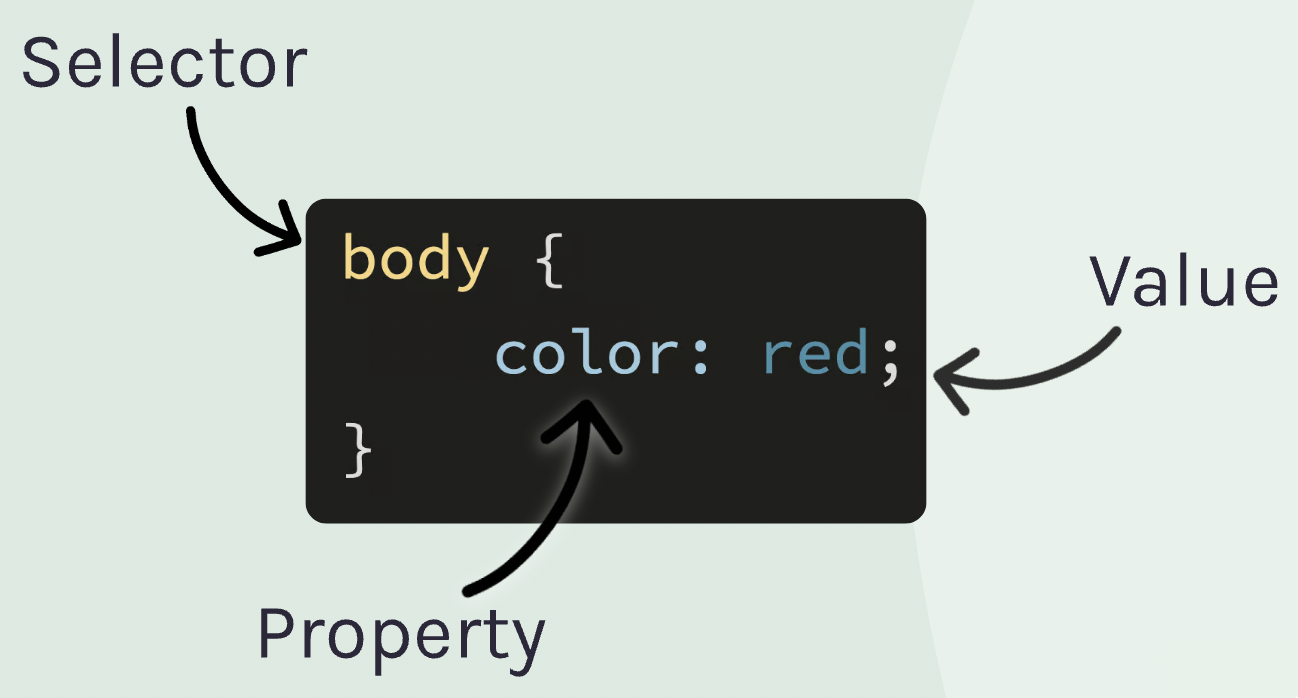
CSS Syntax
Inline v/s Block Elements
"display block stacks on top of each other". The block elements occupy all horizontal space.
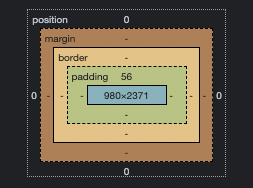
The BOX Model
Properties such as Margin, Border, Padding, and Display form a box model together. This can be found in developer tools and appears as below:
Dividers
Dividers or <div> tag work as containers for elements. It's used to keep elements within sections and style it. The dividers are block elements by default.
Classes
Classes are important when we style an element. The class can be used to style multiple elements together compared to using selectors.
Centering an Element
To center an element, the display must be block and margins are kept auto. If elements are inline, there are 2 other ways to center them.
On the parent container, you can use text-align: center the property. The property works on both text and element tags.
The other way is to use a Flexbox display. You can use justify-content property on the parent container to center the children.
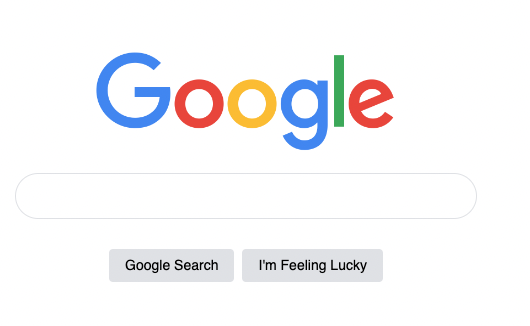
Styles for a Google.com clone
.main {
    margin-top: 100px;
}

.logo-img {
    display: block;
    width: 300px;
    margin-bottom: 20px;
    margin-left: auto;
    margin-right: auto;
}

.search-input {
    display: block;
    width: 400px;
    margin-left: auto;
    margin-right: auto;
    line-height: 24px;
    padding-top: 10px;
    padding-bottom: 10px;
    padding-left: 30px;
    padding-right: 30px;
    border: 1px solid #dfe1e5;
    border-radius: 24px;
}

.btn-wrapper {
    display: flex;
    justify-content: center;
}

.btn {
    margin-left: 4px;
    margin-right: 4px;
    margin-top: 30px;
    background: #dfe1e5;
    border: none;
    padding-top: 8px;
    padding-bottom: 8px;
    padding-left: 16px;
    padding-right: 16px;
    border-radius: 4px;
    font-size: 14px;
}